


06 May The Complete Post-Production Workflow for Multilingual Corporate Video: A Step-by-Step Playbook
Introduction: Why a Defined Workflow Prevents Budget Overruns and Missed Deadlines
The single biggest threat to a corporate video project is not weak footage or a thin concept. It is an undefined post-production process. When editing, color grading, sound design, VFX, and localization happen in an ad hoc sequence—with no review gates, no milestone structure, and no clear ownership—the result is predictable: scope creep, blown budgets, and launch dates that slip by weeks or months.
This matters more than ever. 91% of businesses now use video as a core marketing tool, and the global post-production market is growing at a CAGR of 17.4% through 2029. The companies capturing return from that investment are not the ones spending the most—they are the ones running a repeatable post-production workflow for corporate video that converts raw footage into polished, multilingual assets without unnecessary iteration.
This playbook breaks the multilingual video production process step by step into seven clearly defined stages. Each stage includes the specific deliverables, the stakeholder review points, and the technical standards you should expect from any competent post-production partner. Whether you are producing a single brand film for two markets or scaling a quarterly video program across five languages, this framework turns post-production from an unpredictable art into a manageable, budget-controlled process—exactly the approach that defines DMPJ’s end-to-end post-production workflow.
Step 1: Ingest, Organize, and Review Raw Footage
Every reliable video editing workflow for international companies starts with the least glamorous and most consequential step: proper ingest and media management.
File Naming, Proxies, and Backup Protocols
Raw camera files from a multi-day shoot can easily exceed several terabytes. Without a strict naming convention—typically structured as `ProjectCode_Date_Camera_ClipNumber`—editors waste hours hunting through unorganized folders, and the risk of working from the wrong take multiplies with every language version you produce. Proxy generation (lightweight, lower-resolution copies of each clip) allows editors and stakeholders to review and approve material on standard laptops without waiting for full-resolution files to render.
Selects Review With Stakeholders
Before a single cut is made, the editorial team and the client should sit down—remotely or in person—and agree on which footage is usable. This selects review eliminates dead-end editing paths. An editor who builds a rough cut from footage the client never approved will inevitably face a rebuild, and that rebuild is where the first budget overrun begins. Align on usable footage before editing starts.
Redundant Storage and Versioning
Data loss on a multilingual project is not merely inconvenient—it can mean re-shooting footage that no longer matches continuity. Standard practice requires at least two independent backup copies of all raw media (on separate physical drives or cloud locations) plus version-controlled project files. Every editorial session should generate a new, dated version file so the team can roll back without ambiguity.
Step 2: Offline Edit — Building the Story Structure
The offline edit is where the story takes shape. This is the stage where editorial judgment matters most and where client input has the highest leverage.
Rough Cut Assembly and Structural Refinement
The editor assembles a rough cut from approved selects, establishing the narrative arc, pacing, and overall duration. At this stage, placeholder music and temporary graphics are acceptable—the goal is story structure, not polish. Research confirms that professional editing disciplines improve viewer retention by 20–35% through tighter pacing, strategic pattern interrupts, and elimination of dead space. Those gains start here.
Stakeholder Review Gate
The rough cut review is a formal gate. Stakeholders approve the narrative arc, key messaging, and overall tone before the project advances into finishing stages—color, sound, VFX—where changes become exponentially more expensive. A single round of structural revision at rough cut costs a fraction of what the same revision costs after color grading and sound mixing are complete.
Editing for Multiple Formats
Modern corporate video rarely exists in one aspect ratio. A 16:9 master cut serves YouTube and corporate presentations. A 9:16 vertical version targets Instagram Reels and TikTok. A 1:1 square crop works for LinkedIn feeds. The offline edit is the right stage to plan these derivatives—not as afterthoughts, but as parallel editorial tracks that share a common narrative spine while optimizing composition for each format.
Step 3: Color Grading and Visual Finishing
Once the edit is locked, visual finishing begins. Color work divides into two distinct phases, each with a different purpose.
Color Correction for Technical Consistency

Color correction is a technical process. Its objective is to ensure every shot in the timeline matches—consistent exposure, white balance, and contrast across camera setups, lighting conditions, and shooting days. Without correction, cuts between shots can feel jarring, undermining the professional credibility of the final piece. Research into color psychology confirms that viewers form emotional impressions of video content within milliseconds, and inconsistent color signals low production value before a single word is spoken.
Creative Grading for Brand Identity
Creative grading goes further, establishing a deliberate visual mood that reinforces brand identity. Warm tones create comfort and approachability. Cooler palettes suggest precision or authority. Desaturated grades convey sophistication. The grading choices made here carry across every language version, so they must align with the brand’s visual identity guidelines from the start.
HDR and SDR Dual-Mastering
Distribution platforms now span HDR-capable screens (high-end TVs, recent smartphones) and SDR-only environments (older monitors, corporate intranet players). A professional finishing workflow produces both an HDR master and an SDR master from the same graded timeline, ensuring the visual intent translates correctly regardless of where the audience watches. Skipping dual-mastering means either HDR viewers see a flat image or SDR viewers see crushed highlights and clipped shadows.
Step 4: Sound Design, Music, and Audio Mix
Audio is the most underestimated element in corporate video post-production. The data is unambiguous: high-quality audio increases the likelihood of viewers watching a video to completion by 50%, and videos with poor audio are 75% more likely to be abandoned in the first few minutes.
Dialogue Cleanup, ADR, and Foley
Location audio is rarely perfect. Background noise, uneven levels, and room reflections all require cleanup in post-production. When on-set audio is unusable, ADR (Automated Dialogue Replacement) re-records the dialogue in a controlled studio environment. Foley—the creation of custom sound effects synchronized to on-screen action—adds a layer of immersive realism that separates professional work from amateur output.
Music: Licensing vs. Original Composition
Licensed music is faster and cheaper for standard corporate video. Budget range: $200–$2,000 per track from reputable libraries, with perpetual or term-based licenses. Original composition costs more ($3,000–$15,000+ depending on complexity) but eliminates licensing restrictions and creates a sonic identity unique to your brand. The critical consideration is rights: ensure any licensed track covers all territories and platforms where the video will be distributed, including Japan-specific streaming services.
Final Mix for Target Playback Environments
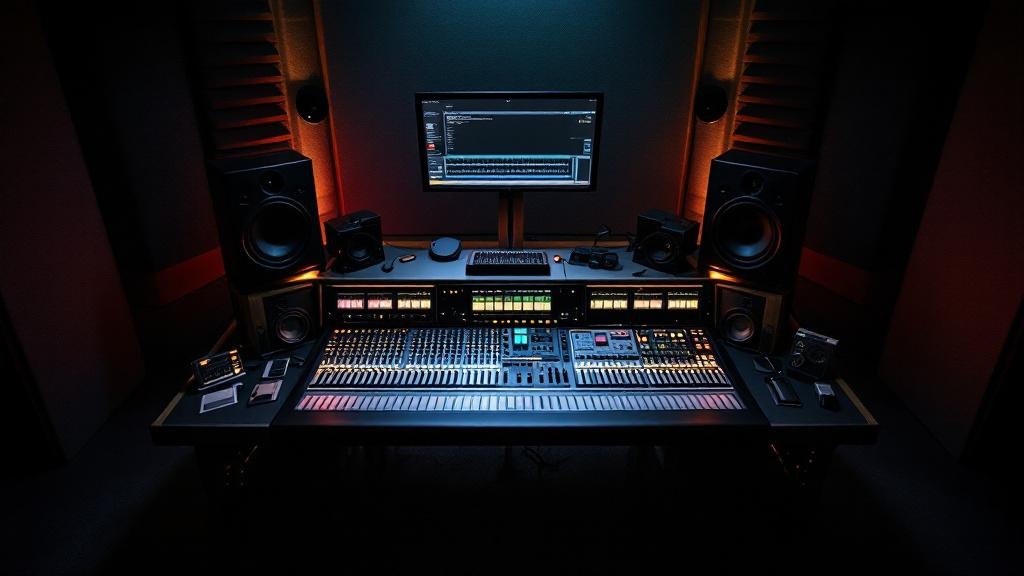
A mix optimized for studio monitors will sound thin on mobile phone speakers and distorted in a theater. The final audio mix should be calibrated for the primary playback environment—typically mobile-first for social distribution, broadcast-standard for TV, and cinema-standard for event screenings. For multilingual projects, each language version requires its own mix pass to account for different dialogue timing and vocal characteristics.
Step 5: VFX, Motion Graphics, and Lower Thirds
Visual effects and motion graphics add clarity, brand presence, and visual interest—when used with restraint.
When to Add vs. When to Restrain
The purpose of VFX in corporate video is to serve the story, not to demonstrate technical capability. An animated data visualization that makes a revenue trend immediately understandable earns its place. A gratuitous 3D logo animation that adds ten seconds of dead time does not. Japan’s VFX market is projected to reach $1.18 billion by 2034, growing at a 6.44% CAGR, reflecting genuine demand—but the best results come from disciplined application rather than volume.
Animated Brand Elements and Data Visualizations
Lower thirds (name/title overlays), animated charts, product demonstrations, and branded transitions are the workhorses of corporate motion graphics. These elements reinforce brand identity while helping viewers absorb information. Research shows that motion graphics on landing pages can increase conversion rates by up to 80%, a figure that underscores the ROI of investing in well-designed animated assets.
Compositing Review and Render QC
Before VFX shots integrate into the master edit, each element should pass a compositing review: Are edges clean? Do lighting and color match the live-action plate? Are render artifacts visible at full resolution? Catching a bad composite before final delivery prevents costly re-renders and revision cycles.
Step 6: Subtitling, Localization, and Multi-Language Versioning
For companies operating across borders—exactly the audience DMPJ serves—this step often determines whether a video succeeds or fails in its target market.
Translation Workflow
Professional localization follows a three-stage process: initial translation by a native-speaking professional translator, cultural review by a second linguist familiar with the target market, and client approval of the final script. Machine translation may serve as a starting draft for some languages, but human review is non-negotiable for corporate content where tone, nuance, and brand voice carry commercial weight. Japan’s content market reached ¥15.26 trillion in 2024, and audiences in this market hold high expectations for linguistic precision.
Subtitle Formatting: Japanese vs. English
Subtitle standards differ meaningfully between languages. The following table summarizes the key formatting parameters:
| Parameter | English | Japanese |
|---|---|---|
| Max characters per line | 42 | 13–16 (full-width) |
| Max lines on screen | 2 | 2 |
| Minimum display duration | 1.5 seconds | 1.5 seconds |
| Reading speed target | 150–200 wpm | ~4 characters/sec |
| Line break logic | Phrase/clause boundaries | Grammatical particle boundaries |
| Font considerations | Sans-serif, mixed case | Gothic (ゴシック) preferred for readability |
Getting these parameters wrong results in subtitles that flash too quickly for comfortable reading, break at awkward linguistic points, or overflow the safe title area—all of which degrade the viewer experience.
Separate Language Masters vs. Switchable Subtitle Tracks
Two approaches exist for multilingual delivery. Separate language masters burn subtitles directly into the video, producing one standalone file per language. This is simpler for playback on corporate intranets and social media platforms where subtitle track support is inconsistent. Switchable subtitle tracks (SRT, VTT, or TTML files) keep the video file language-neutral and let the viewer select their language—ideal for YouTube, Vimeo, and streaming platforms. Most corporate video post-production checklists specify both: burned-in masters for social distribution and switchable tracks for web and streaming.
Step 7: Quality Control, Compliance, and Final Delivery
The final stage is where attention to detail either protects your investment or lets avoidable errors reach your audience.
Technical QC Checklist
A complete QC pass validates every technical parameter before delivery. The post-production experts at DMPJ run a checklist covering, at minimum:
| QC Parameter | Standard / Target |
|---|---|
| Resolution | Match delivery spec (1080p, 4K, etc.) |
| Frame rate | Match source and platform (23.976, 25, 29.97) |
| Video bitrate | Per platform spec (e.g., YouTube recommends 35–68 Mbps for 4K) |
| Audio levels | -24 LUFS (broadcast), -14 LUFS (streaming/social) |
| Audio format | Stereo or 5.1 per deliverable |
| Color space | Rec. 709 (SDR) / Rec. 2020 (HDR) |
| Metadata | Title, description, language tags embedded |
| Subtitle sync | ±0.5 frame tolerance |
Platform-Specific Delivery Specs
Each distribution channel imposes its own technical requirements. Delivering a single “universal” file to all platforms guarantees suboptimal results on most of them.
| Platform | Resolution | Container | Audio | Notes |
|---|---|---|---|---|
| YouTube | Up to 4K (2160p) | MP4 (H.264/H.265) | AAC stereo | Supports switchable subtitle tracks |
| Instagram / TikTok | 1080p max | MP4 (H.264) | AAC stereo | 9:16 vertical preferred; max 60s (Reels) |
| Broadcast (Japan) | 1080i/p | MXF (XDCAM) | PCM stereo/5.1 | Must meet BTA S-002 technical standards |
| Netflix | 4K HDR | IMF package | 5.1 surround | Strict color, loudness, and metadata specs |
| Corporate intranet | 720p–1080p | MP4 (H.264) | AAC stereo | Optimize for low-bandwidth playback |
Client Sign-Off and Asset Archiving
Final delivery includes a formal client sign-off confirming approval of each language version and format. After sign-off, all project files—raw footage, project timelines, graphics source files, audio stems, subtitle files—are archived in a structured, retrievable format. This archive is not optional. It enables future re-versioning (updating a product shot, adding a new language, re-cutting for a different market) without reconstructing the project from scratch.
Timelines and Milestones: What to Expect
Understanding realistic timelines prevents misaligned expectations and allows marketing teams to build video production into campaign schedules with confidence.
Typical Project Timelines
A standard single-language corporate video (3–5 minutes, moderate graphics, one delivery format) typically completes post-production in two to four weeks. A complex multilingual project—the same video delivered in three or more languages with platform-specific versions—requires six to eight weeks. The difference is almost entirely driven by Steps 6 and 7: translation cycles, subtitle formatting per language, QC per deliverable, and platform-specific encoding.
Where Delays Happen and How to Prevent Them
Three issues account for the majority of post-production schedule overruns:
- Late stakeholder feedback. Every day of delayed review at the rough cut gate pushes the entire downstream schedule by at least a day. Set review deadlines in the project brief and hold to them.
- Scope changes after edit lock. Adding a new interview segment or restructuring the narrative after color and sound work has begun triggers rework across multiple disciplines. Structural decisions belong in Step 2, not Step 5.
- Music licensing clearance. Securing rights for a specific track across all territories and platforms can take two to four weeks if the rights holder is slow to respond. Start the licensing process during the offline edit or earlier—never wait until the mix stage.
Collaborative Review Tools Compress the Feedback Cycle
Frame-accurate review platforms (Frame.io, Wipster, or similar) let stakeholders leave time-coded comments directly on the video timeline, eliminating the ambiguity of email-based feedback like “the part around the middle feels off.” Companies using structured review tools achieve 49% faster revenue growth from video content compared to those relying on informal feedback loops—not because the tool itself generates revenue, but because faster, clearer feedback compresses the production cycle and gets content to market sooner.
With nearly 89% of Japanese consumers regularly engaging with ad-supported media, and Japan’s advertising expenditures reaching a record ¥8.06 trillion in 2025, the commercial incentive to get multilingual video content into market on schedule—and on spec—has never been higher. A defined workflow is how you get there.
You now have the playbook—but executing it well requires a team that has run this workflow hundreds of times across languages, cultures, and platforms. DMPJ’s post-production team handles every step outlined above, from ingest through multilingual delivery, with the attention to detail and collaborative transparency that keeps your project on time and on budget. Contact DMPJ to scope your next multilingual video project and put this workflow into action.
Sorry, the comment form is closed at this time.